
Key Takeaways
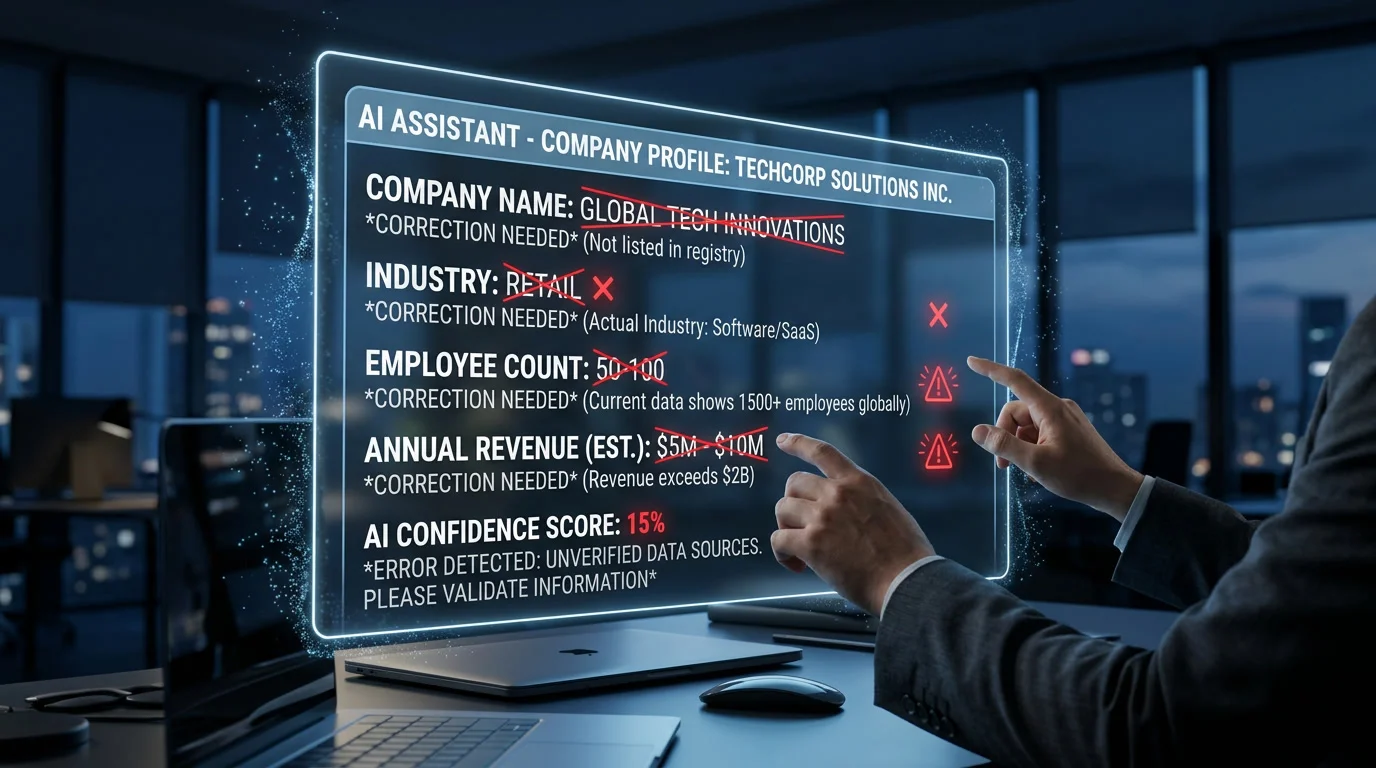
- AI search platforms display wrong information in AI search results for an estimated 15–33% of business-related queries, depending on the model and domain, making correction an urgent priority, not a “wait and see” issue.
- 61% of AI business-information errors are retrieval errors sourced from outdated web pages the AI cites, meaning most fixes start with correcting your own web presence, not waiting for a model retrain.
- Platform-specific correction timelines vary wildly: Perplexity fixes propagate in roughly 9 days, while Google AI Overviews and Gemini can take 31–33 days, and ChatGPT with search disabled won’t update until the next model refresh.
- Three counterproductive mistakes, blocking AI crawlers in retaliation, publishing rebuttals that repeat the false claim, and fixing your website while the AI cites a third-party source, can make the problem worse.
- A structured daily monitoring protocol covering the 15–25 questions your buyers actually ask across ChatGPT, Gemini, Perplexity, and Copilot catches misinformation before it costs you revenue.
Introduction: When AI Becomes Your Worst Reviewer
Imagine a potential customer asking ChatGPT about your business. Instead of the accurate description you’ve spent years building, the AI confidently states you went out of business in 2023. Or that you’re under investigation. Or that your headquarters is in a city you’ve never operated in.
This isn’t hypothetical. According to a MaxAEO study tracking 412 brand-fact errors across 63 B2B companies between September 2025 and May 2026, wrong information in AI search is a measurable, widespread problem, and it’s costing businesses real revenue.
The financial stakes are significant. Research from Four Dots estimates global business losses from AI hallucinations reached $67.4 billion in 2024, with the average employee spending 4.3 hours per week simply verifying whether AI-generated content is accurate. For businesses on the receiving end of that misinformation, the damage isn’t just theoretical, it’s lost contracts, eroded trust, and prospects who never call because they already “learned” something false about you.
With 80% of purchasing decisions predicted to be influenced by generative AI by 2026 and zero-click searches now accounting for 58.5–68% of all queries, leaving wrong information in AI search uncorrected isn’t a minor annoyance, it’s a revenue leak you can measure.
This guide walks you through the exact process to identify, diagnose, correct, and prevent AI misinformation about your business across every major platform, ChatGPT, Google AI Overviews, Gemini, Perplexity, Microsoft Copilot, and Claude.
Why AI Gets Your Business Information Wrong
Before you can fix wrong information in AI search, you need to understand why it happens. The MaxAEO study’s 412-error dataset reveals three distinct root causes, each requiring a different correction strategy.
Retrieval Errors: The Most Common Culprit (61% of Cases)
The majority of AI business-information errors, 61% are retrieval errors. These happen when an AI search engine pulls information from an outdated, inaccurate, or misinterpreted web page and presents it as current fact.
For example, if a 2021 blog post mentions your company had 50 employees, and the AI retrieves that page to answer a 2026 query, it may confidently report your headcount as 50, even though you’ve since grown to 200. The AI isn’t hallucinating from nothing; it’s faithfully citing bad or stale source material.
The good news: retrieval errors are the most fixable category because they’re sourced from content you or others can update. Your content marketing strategy directly influences what AI search engines find and cite.
Training-Data Errors: Baked Into the Model (24% of Cases)
24% of tracked errors stem from training data, information the AI learned during its last training cycle that was either wrong at the time or has since become outdated. These are the hardest to fix because they exist inside the model’s parameters, not in any single web page.
Training-data errors only resolve when the model provider runs a new training cycle or fine-tuning pass. Major LLM retraining cycles happen every 3 to 9 months, meaning a training-data error could persist for the better part of a year regardless of what you do on the web.
The diagnostic trick: if an AI gives wrong information about your business with web search disabled, that’s a training-data error. You can’t fix the source because the source is the model itself.
Entity Conflation: You’re Not Who They Think You Are (15% of Cases)
The remaining 15% of errors come from entity conflation, the AI confusing your company with a similarly named entity. A law firm in Chicago gets merged with a law firm in London that shares a partner’s last name. A SaaS startup gets attributes from an identically named restaurant supply company.
Entity conflation is especially damaging because the information the AI presents isn’t random nonsense, it’s coherent facts about the wrong entity, which makes it harder for users to spot as an error.
Strong schema markup and consistent entity signals across the web are your primary defenses against conflation. When your E-E-A-T signals clearly establish who you are across authoritative sources, AI systems have less reason to confuse you with someone else.
The One-Minute Diagnostic Test

Before diving into corrections, run what the MaxAEO researchers call the “one-minute diagnostic test” to classify your specific problem.
Step 1: Ask ChatGPT, Gemini, or Perplexity a factual question about your business, your founding year, your CEO’s name, your headquarters location, your core service.
Step 2: Ask the same question twice, once with web search enabled and once with web search disabled (in ChatGPT, you can toggle search; in other platforms, you may need to test separately).
Here’s what each result tells you:
| Result | Diagnosis | Fix Difficulty |
| Wrong only with search ON | Retrieval error, AI is citing a bad source | Fixable in days to weeks |
| Wrong with search OFF | Training-data error, baked into the model | Requires model update (months) |
| Wrong both ways | Both problems present, needs parallel attack | Fix retrieval now, wait for training refresh |
| Wrong on one platform only | Platform-specific indexing issue | Target that platform’s recrawl process |
Step 3: Run this test across all major platforms, ChatGPT, Gemini, Google AI Overviews, Perplexity, Microsoft Copilot, and Claude. Different platforms cite different sources and may have different errors about your business.
Step 4: Document everything. Screenshot each wrong answer, note the citation links (if shown), and record the date and time. You’ll need this evidence for platform feedback submissions and, potentially, for legal documentation.
This diagnostic step is the foundation of effective answer engine optimization. You can’t fix what you can’t classify.
Step-by-Step: Fixing Wrong Information Across Every AI Platform

The MaxAEO study identified a six-step correction workflow that resolved errors with a median success rate of 80% within 33 days across all platforms. Here’s each step in detail.
Step 1: Capture the Error With Forensic Detail
Don’t just screenshot the wrong answer. Run the same query at least five times per platform and document the response consistency. AI outputs aren’t deterministic, you might get the wrong answer three out of five times, which is valuable data for your correction request.
Record:
- The exact query you used
- The platform and date
- The AI’s response (full text)
- Any citations or source links shown
- The consistency rate (e.g., “wrong 4 out of 5 runs on ChatGPT”)
This evidence serves two purposes: it gives platform feedback teams specific, reproducible reports, and it creates a baseline you’ll use to measure whether your corrections are working.
Step 2: Fix the Cited Source First
For retrieval errors (61% of cases), the single highest-leverage fix is correcting the web page the AI is actually citing. If Perplexity shows a wrong founding date and cites a Crunchbase profile, fix the Crunchbase profile. If Google AI Overview claims you offer a service you don’t and cites an old blog post on your own site, update that blog post.
Why this order matters: AI search engines pull from indexed web content. If the source they’re citing says something wrong, no amount of feedback submissions will permanently fix the output, the AI will just re-read the same wrong source next time it refreshes.
Your SEO audit process should now include checking what AI platforms cite about your business, not just traditional search rankings.
Key sources to check and correct:
- Your own website — especially About pages, team bios, service descriptions, outdated blog posts
- Google Business Profile — hours, services, categories, attributes
- Crunchbase, LinkedIn Company Page, Wikipedia/Wikidata — company facts, founding date, leadership
- Industry directories — any listing that contains your company details
- Old press releases or media coverage — especially if they mention outdated facts
Step 3: Align Third-Party Records
Even after fixing cited sources, wrong information in AI search persists when other authoritative directories still contain outdated data. AI models weight multiple sources — if three out of five directories say your headquarters is in Dallas and only your website says Austin, the AI may side with the majority.
The key platforms to align:
- Wikidata — structured data that feeds into multiple AI systems
- Wikipedia — if your company has a page, ensure it’s accurate and cited
- Crunchbase — funding, founding date, leadership, description
- LinkedIn — company page details
- Industry-specific directories — legal, healthcare, technology directories relevant to your niche
- Google Knowledge Panel — claim and verify through Google Search
The generative engine optimization principle applies here: AI models aggregate information across sources. Consistency across authoritative platforms is what shifts AI outputs.
Step 4: Force Recrawls Through Webmaster Tools
After correcting source pages, you need to tell the search engines and AI crawlers to re-read those pages. Waiting for natural recrawl cycles adds weeks or months of delay.
Google Search Console:
- Navigate to URL Inspection
- Enter the URL of the corrected page
- Click “Request Indexing”
- This triggers both Google Search re-indexing and potentially updates Google AI Overviews
Bing Webmaster Tools (feeds Copilot and partially ChatGPT):
- Submit updated URLs for re-indexing
- Use the IndexNow protocol for immediate notification
- Copilot’s median correction time drops from 30+ days to 19 days with active Bing recrawl requests
AI Crawler Access: Make sure your site allows the relevant AI crawlers to access your corrected content. This is where your robots.txt configuration for AI crawlers becomes critical, if you’ve blocked GPTBot or PerplexityBot, the AI can’t read your corrections.
The retrieval bots you want to access your corrected pages:
- OAI-SearchBot (ChatGPT search)
- PerplexityBot (Perplexity)
- Google-Extended (Gemini/AI Overviews)
- ClaudeBot and Claude-SearchBot (Claude)
Your llms.txt file can also help by providing AI systems a structured summary of your business that’s harder to misinterpret than a long, complex website.
Step 5: Submit In-Product Feedback
Every major AI platform has a feedback mechanism. Using it correctly can accelerate correction timelines, but only if combined with the source-fixing steps above.
ChatGPT:
- Click the thumbs-down icon on the wrong response
- Select “This is factually incorrect”
- In the feedback field, specify exactly what’s wrong and what the correct information is
- Include a link to your corrected source page
Google AI Overviews:
- Click the three-dot menu on the AI Overview
- Select “Report a problem”
- Choose “Inaccurate” and describe the specific error
- For local business errors, also update your Google Business Profile
Perplexity:
- Click the thumbs-down or feedback icon
- Provide the correct information with a source URL
- Perplexity refreshes cited content frequently, median fix time is just 9 days
Microsoft Copilot:
- Use the feedback button to flag inaccuracies
- Corrections propagate through Bing’s index, submit recrawl requests through Bing Webmaster Tools simultaneously
Gemini:
- Use the thumbs-down or “Report” function
- Corrections follow the same pipeline as Google AI Overviews, with a median fix time of 33 days
Step 6: Re-Test on a Rigorous Schedule
Submitting corrections isn’t the finish line, verification is. The MaxAEO study used a threshold of “80% correct across ten daily runs for seven consecutive days” before marking an error as resolved.
Build a monitoring routine:
- Run your 15–25 core business queries daily across all major AI platforms
- Track the accuracy rate per platform per query
- Mark an error as “resolved” only when it hits the 80/10/7 threshold
- If accuracy regresses, check whether the cited source has changed or a new conflicting source has appeared
This ongoing monitoring is part of a broader AI visibility tracking strategy that treats AI search presence as a measurable marketing channel.
Platform-Specific Correction Timelines

Understanding realistic timelines prevents frustration and helps you prioritize effort across platforms. Based on the MaxAEO 412-error study, here are median correction times after completing the full six-step process:
| Platform | Median Fix Time | Why This Timeline |
| Perplexity | 9 days | Re-fetches cited pages on every query; fastest correction cycle |
| Microsoft Copilot | 19 days | Relies on Bing index; IndexNow accelerates updates |
| ChatGPT (search on) | 24 days | Uses OAI-SearchBot and Bing data; fixes propagate when cited pages update |
| Claude | 26 days | Checks Brave Search and direct web access; fix ranked pages first |
| Google AI Overviews | 31 days | Tied to Google’s core index refresh cycle |
| Gemini | 33 days | Same pipeline as AI Overviews; slightly longer propagation |
| ChatGPT (search off) | Unknown | Only changes with model retraining, no external fix available |
These timelines assume active correction efforts. Passive waiting, just updating your website without recrawl requests or feedback submissions, can extend correction times to 3–9 months.
If you’re managing a local business, your small business SEO strategy now needs to account for these AI-specific correction windows.
Three Mistakes That Make AI Misinformation Worse
The MaxAEO research identified three counterproductive responses that businesses commonly make, each of which can extend or amplify the wrong information in AI search rather than fixing it.
Mistake 1: Blocking AI Crawlers in Retaliation
When a business discovers ChatGPT or Perplexity is saying something wrong about them, the instinct is often to block those AI crawlers entirely. This is counterproductive.
If you block OAI-SearchBot, ChatGPT can’t read your corrected pages. The wrong information persists because the AI can no longer access the fix. Your AI crawler robots.txt configuration should distinguish between training bots (which you may want to block) and retrieval bots (which you need for corrections).
Mistake 2: Publishing Rebuttals That Repeat the False Claim
Writing a blog post titled “No, We Are NOT Under Investigation” seems logical but can backfire. AI systems may index the rebuttal and extract the false claim from your own content, especially if the post repeats the wrong information multiple times for emphasis.
Instead, publish positive, factual content that states correct information without referencing the error. Let your content marketing strategy emphasize what’s true rather than arguing against what’s false.
Mistake 3: Fixing Your Website While the AI Cites a Third-Party Source
If Perplexity’s wrong answer about your company cites a Crunchbase page, updating your own website won’t fix the output. The AI will keep reading and citing the wrong Crunchbase page until that source is corrected.
Always check citation links first. Fix the source the AI is actually citing, not just your own properties.
Prevention: Building an AI-Resistant Information Architecture

Fixing wrong information is reactive. Building an information architecture that prevents AI misinformation is the long-term strategy.
Implement Comprehensive Schema Markup
Schema markup provides AI systems with structured, unambiguous data about your business. A robust schema stack reduces entity conflation and gives AI search engines machine-readable facts they can trust over unstructured web text.
At minimum, implement:
- Organization schema — legal name, founding date, founders, address, contact info, social profiles
- LocalBusiness schema (if applicable) — hours, services, geo-coordinates
- Person schema — for key executives and founders
- BreadcrumbList schema — for site structure signals
Maintain a Living llms.txt File
Your llms.txt file serves as a structured briefing document for AI systems. Unlike a traditional About page that buries key facts in narrative prose, llms.txt presents core business information in a format AI systems can parse cleanly with minimal room for misinterpretation.
Keep a Consistent Publication Cadence
Content freshness is a citation signal for AI search engines. The more recently you’ve published accurate, authoritative content about your business and industry, the more likely AI systems are to cite your current information rather than outdated third-party sources.
The SEO trends in 2026 all point toward freshness and authority as the primary factors AI systems use to select cited sources. A dormant website is more vulnerable to AI misinformation than an active one.
Monitor Proactively, Not Reactively
Don’t wait for a customer to tell you an AI is saying something wrong. Build a daily or weekly monitoring protocol that queries all major AI platforms about your business. The questions to track should include:
- What does [company name] do?
- Who is the CEO/founder of [company name]?
- Where is [company name] located?
- Is [company name] still in business?
- What are [company name]’s reviews like?
- How much does [company name] charge?
- Any issues or controversies with [company name]?
The AI SEO tools available in 2026 include platforms like Otterly and Profound that can automate this monitoring across multiple AI engines simultaneously, tracking your Share of AI Voice and flagging misinformation automatically.
The Real Cost of Doing Nothing
If the correction process feels labor-intensive, consider the alternative.
According to Four Dots research, 47% of executives have made major business decisions based on unverified AI content, and 54% of companies experienced investor confidence drops after AI errors about their business surfaced. AI-generated statements carry outsized trust, as TrackMyBusiness notes, “Seeing a statement like ‘Company X is known for poor delivery times’ in a chat box carries more weight than a random blog post.”
With 70% of search experiences predicted to be generative by 2026, wrong information in AI search will reach exponentially more potential customers. Every day you don’t fix an error is a day it’s shaping buyer perceptions you can’t see.
The website traffic dropping you may already be noticing could partially stem from AI search engines pulling prospects away before they ever reach your site, and if those AI answers are wrong, the damage compounds.
When to Escalate: Legal and Regulatory Options
For most business-information errors, the six-step correction workflow resolves the problem within 33 days. But some situations warrant escalation.
Consider legal action when:
- The AI consistently presents defamatory information that causes measurable financial harm
- You’ve completed the correction workflow and the misinformation persists after 90+ days
- The wrong information is causing regulatory scrutiny or compliance problems
- A competitor may be intentionally seeding false information that AI systems are amplifying
Relevant legal frameworks:
- In the U.S., the FTC has begun investigating AI-generated misinformation about businesses
- GDPR (in the EU) and CCPA (in California) provide “right to correction” mechanisms that may apply to AI-generated content about individuals and businesses
- U.S. courts imposed $145,000 in sanctions during Q1 2026 for AI-generated false citations, establishing growing legal precedent for AI accountability
The E-E-A-T framework that governs traditional search also applies here: establishing authoritative, trustworthy content across the web is both your best SEO strategy and your best legal defense against AI misinformation.
Your 30-Day Correction Action Plan
| Day | Action | Platform/Tool |
| 1 | Run one-minute diagnostic test across all 6 platforms | ChatGPT, Gemini, Perplexity, Copilot, Claude, AI Overviews |
| 1–2 | Document all errors with screenshots, citations, consistency rates | Spreadsheet/doc |
| 3–5 | Fix all cited source pages (your site + third-party profiles) | CMS, Crunchbase, LinkedIn, Wikidata |
| 5–7 | Force recrawls via Google Search Console and Bing Webmaster Tools | GSC, Bing, IndexNow |
| 7–10 | Submit in-product feedback on every platform with documented evidence | All platforms |
| 10–14 | Implement/update Organization schema, llms.txt, and entity signals | Your website |
| 14–30 | Daily monitoring: 10 runs per query, track accuracy rate per platform | Manual or Otterly/Profound |
| 30 | Evaluate: did 80/10/7 threshold pass? If not, repeat Steps 2–5 with fresh evidence | All platforms |
FAQ
How long does it take to fix wrong information in AI search?
Correction timelines vary by platform. Perplexity is fastest at a median of 9 days, while Google AI Overviews and Gemini take approximately 31–33 days. ChatGPT with web search enabled takes about 24 days. These timelines assume active correction efforts, passive waiting can extend to 3–9 months. Training-data errors (24% of cases) only resolve with model updates, which happen every 3–9 months.
Why is ChatGPT saying wrong things about my company?
ChatGPT’s errors typically fall into three categories: retrieval errors (61%) where the AI cites an outdated web page, training-data errors (24%) where incorrect information is embedded in the model from its last training cycle, and entity conflation (15%) where the AI confuses your company with a similarly named entity. The one-minute diagnostic test, asking the same question with and without web search, reveals which type you’re dealing with.
Can I sue an AI company for showing wrong information about my business?
Legal precedent is developing rapidly. U.S. courts imposed $145,000 in sanctions during Q1 2026 for AI-generated false citations, and the FTC has begun investigating AI-generated business misinformation. Before pursuing legal action, complete the six-step correction workflow and document your efforts. Most misinformation resolves within 33 days through correction efforts. Legal escalation is most appropriate when measurable financial harm persists despite documented correction attempts.
Should I block AI crawlers if they’re spreading misinformation about my company?
No, blocking AI crawlers is counterproductive. If you block OAI-SearchBot or PerplexityBot, those AI engines can no longer read your corrected content, and the wrong information persists because the AI can’t access the fix. Instead, distinguish between training bots (which you may want to block) and retrieval bots (which you need for corrections). Keep retrieval bots allowed while you complete the correction process.
How do I monitor what AI search engines say about my business?
Build a daily monitoring protocol covering 15–25 questions your buyers actually ask, and run each query across ChatGPT, Gemini, Perplexity, Microsoft Copilot, and Claude. Track accuracy rates per platform per query. AI SEO tools like Otterly and Profound can automate this monitoring, tracking your Share of AI Voice and flagging misinformation. Use the 80/10/7 threshold, 80% correct across 10 daily runs for 7 consecutive days, to confirm a correction has taken hold.
What is the one-minute diagnostic test for AI misinformation?
Ask a factual question about your business to an AI platform, then ask the same question twice, once with web search enabled and once with search disabled. If the answer is wrong only with search on, it’s a retrieval error (fixable by correcting the cited source page). If it’s wrong with search off, it’s a training-data error (requires model update). If it’s wrong both ways, both problems are present and need parallel correction approaches.